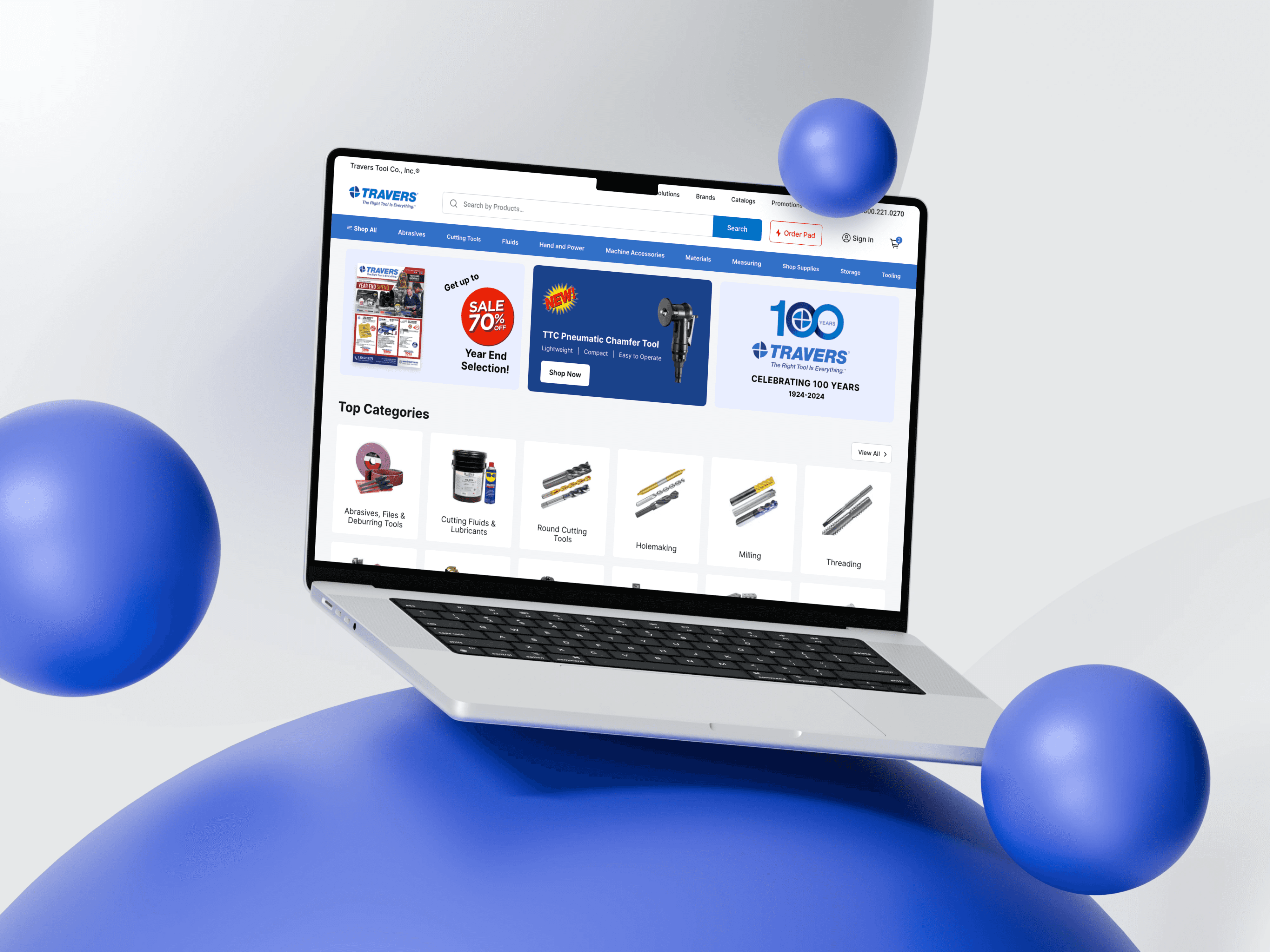
SuperUXpro.ai
AI-powered UX Intelligence Platform that: Speeds up UX research, insights, audits, and UI evaluation. Detects UX issues automatically using LLM + heuristics + design principles. Benchmarks your product’s UX against top competitors. Provides actionable guidelines based on Don Norman & Interaction Design Foundation principles. Helps teams design better, faster, and avoid common UX mistakes.
2025
Year
4 Weeks
Duration
Product
Category
SaaS
Stack

The Challenge
UX evaluation today is slow, manual, and inconsistent. Designers typically rely on: Time-consuming heuristic evaluations Multiple scattered tools (Lighthouse, manual checklists, spreadsheets, screen captures) Limited competitor benchmarking Inconsistent evaluations across team members No structured way to measure UX progress week-to-week This results in delayed decision-making, unclear prioritization, and difficulty validating UX improvements. There is no single platform that combines AI insights, heuristic knowledge, competitor data, guidelines, and UX scoring in one place. 💥 Key Pain Points: 1. Manual UX Audits Take Too Long: Designers spend hours reviewing screens, checking patterns, and documenting issues manually. 2. UX Guidelines Are Not Easily Accessible: Nielsen’s heuristics, Don Norman principles, and Interaction Design Foundation guidelines are scattered across resources. 3. No Unified UX Score: Teams struggle to measure UX quality or report improvements in a repeatable way. 4. Hard to Compare With Competitors: Benchmarking requires screenshots, manual notes, and scoring → slow and subjective. 5. Lack of Real-Time Validation: Designers cannot instantly validate whether their solutions improve the experience. 6. Insights Are Not Centralized: Audit findings often live in PDFs, docs, or spreadsheets — not reusable across projects.
Project Goals
🎯 Product Vision To build an AI-powered UX Intelligence Platform that helps designers quickly analyze, benchmark, and improve digital experiences—combining automated UX scanning, deep audits, accessibility checks, guidelines, and actionable recommendations into one clean, minimal, research-backed dashboard. 📝 Project Overview: I designed an AI-driven UX Intelligence Platform that empowers UX designers, product managers, and founders to evaluate, benchmark, and improve the user experience of any website or digital product. The goal was to unify scattered UX workflows—UX audits, heuristics, benchmarking, accessibility testing, and design guidelines—into one clean, simple, intelligent dashboard. This product reduces manual UX evaluation effort, speeds up decision-making, and brings measurable clarity to UX quality across projects. ⭐ Solution Overview (What the Product Does) Product provides an end-to-end AI UX ecosystem, consolidating every critical UX workflow into a single place: 1. AI UX Scan Instantly analyze any website URL for usability issues, accessibility findings, and UX friction points. 2. Deep UX Audit AI-guided, multi-dimensional audit across: ✔ usability ✔ accessibility ✔ visual hierarchy ✔ interaction design ✔ cognitive load ✔ mobile responsiveness ✔ conversion blockers 3. Benchmarking Engine Automatically compare the UX quality of a product against top competitors or leading industry standards. 4. AI Review (Screenshot-based) Upload any UI or screen to get immediate AI insights, problem identification, and recommended improvements. 5. UX Guidelines Library Curated principles from Don Norman, Interaction Design Foundation, Apple HIG, Google Material, etc. Contextual recommendations shown when issues are detected. 6. Action Plan Generator A prioritized task list that helps designers improve the UX Score with step-by-step guidance. 7. UX Score A dynamic score that aligns design improvements with measurable progress. 8. Personalized UX Insights & Research Integration Findings are automatically saved to the research library so designers can track, revisit, and refine insights over time.

UX-Scan

Ai-UX-review

UX-audit
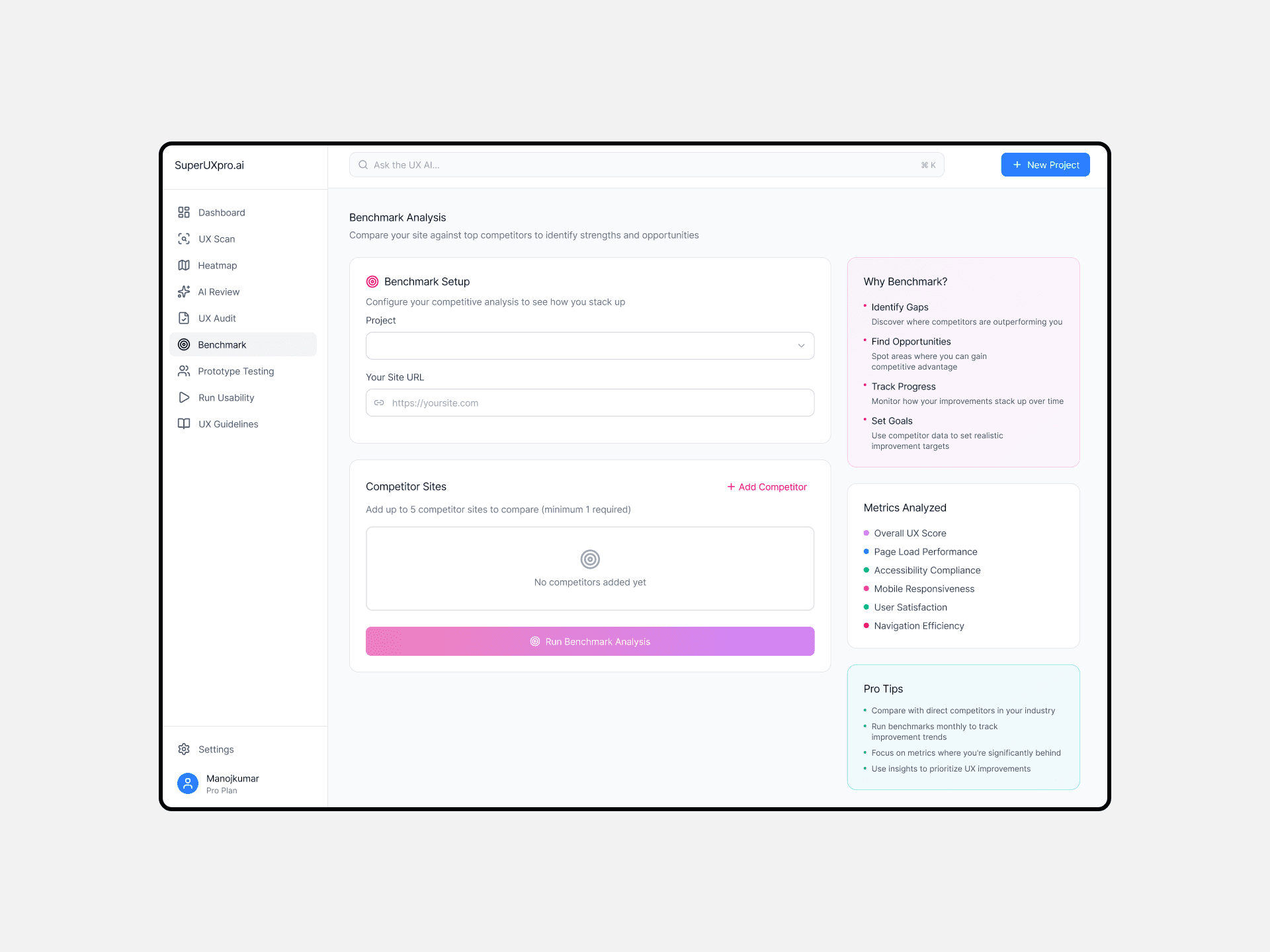
Benchmark
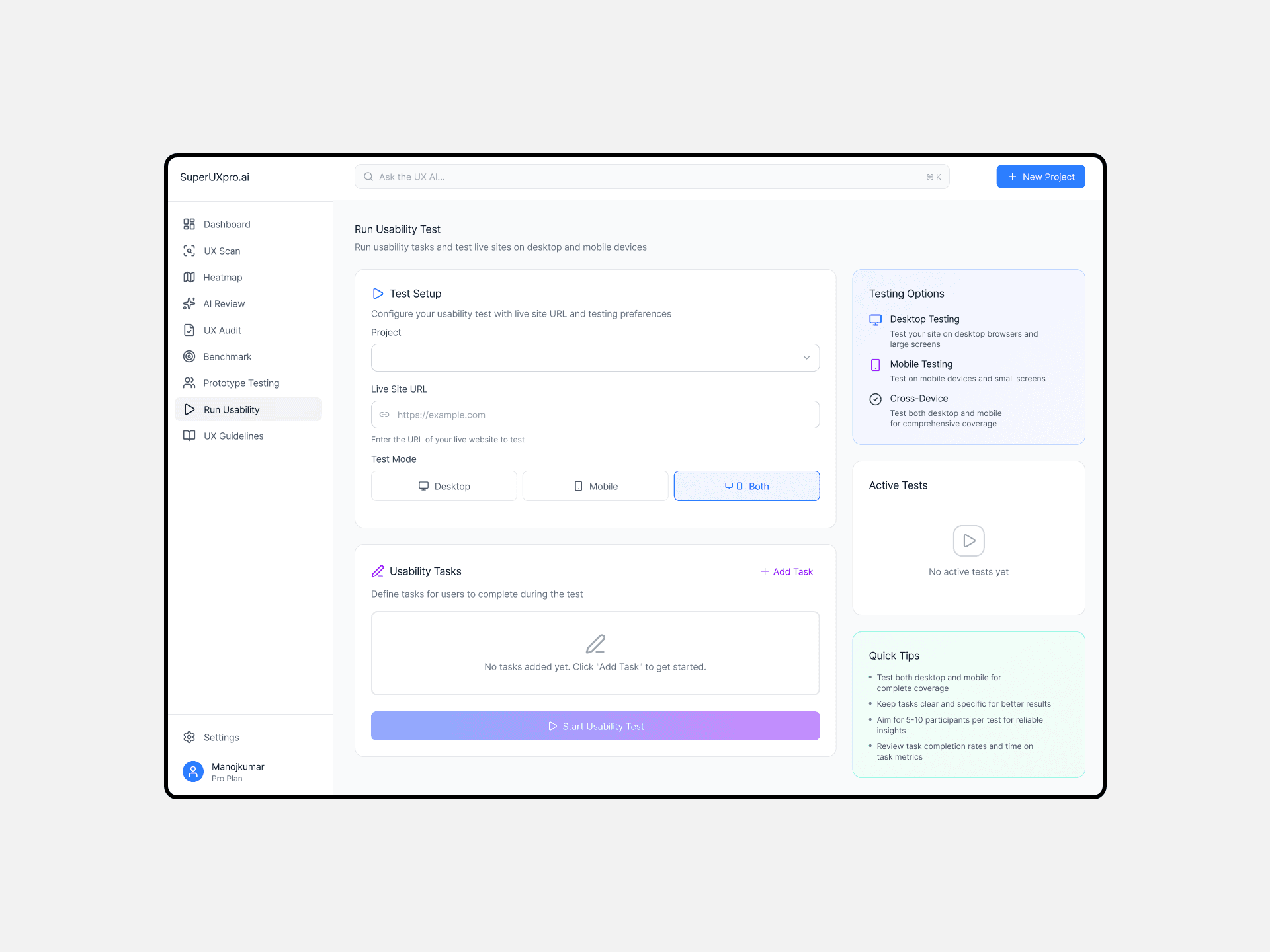
Run-Usability
🎯 Objective:
Create an all-in-one AI UX Platform that:
Automates UX scanning
Provides clear, structured UX audits
Surfaces actionable recommendations
Integrates UX guidelines
Benchmarks against competitors
Measures UX quality with a unified score
Helps designers make confident, fast decisions
🌐 Target Users:
UX Designers: Needing faster audits and guidance rooted in UX principles.
Product Managers: Wanting to measure UX quality over time and compare competitors.
Founders & Agencies: Needing fast evaluations for client websites and early-stage products.
Developers: Looking for clear UX issue explanations and fixes.
💡 How This Product Helps UX Designers
1. Speeds Up UX Evaluation From Hours: Minutes Automated scanning and AI insights help UX designers validate design decisions instantly.
2. Eliminates Subjective Guesswork: AI provides evidence-based reasoning grounded in industry-standard UX heuristics and cognitive psychology.
3. Helps Designers Prioritize What Matters: The platform highlights the most critical UX issues and organizes them into an actionable task list.
4. Brings Consistency to UX Audits: Designers follow the same structured audit and scoring framework across projects.
5. Provides Competitor Intelligence Automatically: Understanding why competitors perform better becomes fast and simple.
6. Supports Better Collaboration: Designers, PMs, and developers can use the same dashboard and data, improving communication and reducing rework.
7. Promotes Continuous UX Improvement: Metrics like UX Score, weekly progress, and streak tracking motivate teams to improve continuously.
8. Integrates UX Guidelines Into Daily Workflow: No more searching in PDFs, lectures, or articles — guidelines appear contextually as AI detects issues.
🧪 Design Process Overview
1. Understanding the Problem
Analyzed the UX workflow bottlenecks, manual heuristics, and benchmarking gaps.
2. Defining Core Features
Based on pain points, the solution required:
UX Scan
Deep Audit
AI Review (screenshots)
UX Score
Benchmarks
UX Guidelines
Action Plan
Research Insights
3. Information Architecture
Organized features into a minimal, intuitive structure aligned with Atlassian-style simplicity.
4. Wireframes & Dashboard Layout
Focused on creating clarity, hierarchy, and smooth action flows.
5. Visual Design
UI direction: minimal, clean, intelligent, modern
Inter font
Soft shadows
Pastel functional color coding
AI-focused top command bar
Friendly card layout
6. Prototyping
Built interactive flows for scanning, reviewing audits, and exploring guidelines.
7. Usability Review
Ensured information density, clarity, and hierarchy were balanced.
📊 The Solution — AI UX Intelligence Dashboard
1. AI Command Bar
A conversational assistant that lets designers ask:
"Analyze my website UX"
"Find usability issues in my Shopify store.”
"Compare my site with competitors."
2. UX Scan
Instant usability scan for any URL → friction points, usability issues, accessibility flags.
3. Deep AI Audit
Comprehensive, multi-layered UX analysis including:
Interaction patterns
Cognitive load
IA clarity
Accessibility
Conversion issues
Visual hierarchy
4. Benchmarking
Side-by-side UX comparison against competitors with graphs and scoring.
5. AI Review (Screenshot Upload)
AI inspects UI screens and provides contextual recommendations and principles violated.
6. UX Guidelines Library
Integrated best practices from:
Don Norman
Nielsen
Interaction Design Foundation
Apple HIG
Material Design
E-commerce UX frameworks
Contextual guidelines appear when AI detects issues.
7. UX Score
A dynamic score backed by heuristic analysis and AI insights, showing weekly progress.
8. Action Plan
Prioritized tasks generated automatically based on identified issues.
9. Recent Projects Section
Helps designers access past evaluations quickly.
🚀 Impact
For UX Designers
Cuts UX audit time by 70–80%
Provides structured, principle-based insights
Helps validate design decisions instantly
Supports stronger presentations with quantified findings
For Product Teams
Clear UX metrics
Consistent evaluation standards across teams
Visibility into weekly improvement
Alignment across PMs, designers, devs
For Businesses
Faster UX optimization
Better conversion
Stronger competitive advantage
Reduced research and audit cost
🏁 Summary
I designed an AI-powered UX Intelligence Platform to help teams analyze, benchmark, and improve user experience faster and more effectively. By combining AI-driven scans, deep audits, UX guidelines, accessibility checks, competitor benchmarking, and a unified UX score, the product transforms a traditionally manual process into an intelligent, streamlined workflow. The final dashboard design is minimal, clean, and user-friendly, enabling designers to quickly identify UX issues, understand their impact, and take action with confidence.